


Intelligent Frame Correction (IFC)
Submitted By
Hits
72,532
Date Added
Last Update
Version
2.0.4
Status
Stable
Wiki Link
Forum Thread
License
GNU General Public License|
Compatibility

Rate this listing
5467reviews


67 votes
Favoured:
29
The aim of the IFC plug-in is to provide the best possible aspect ratio and view mode with a minimum of effort.
Features:
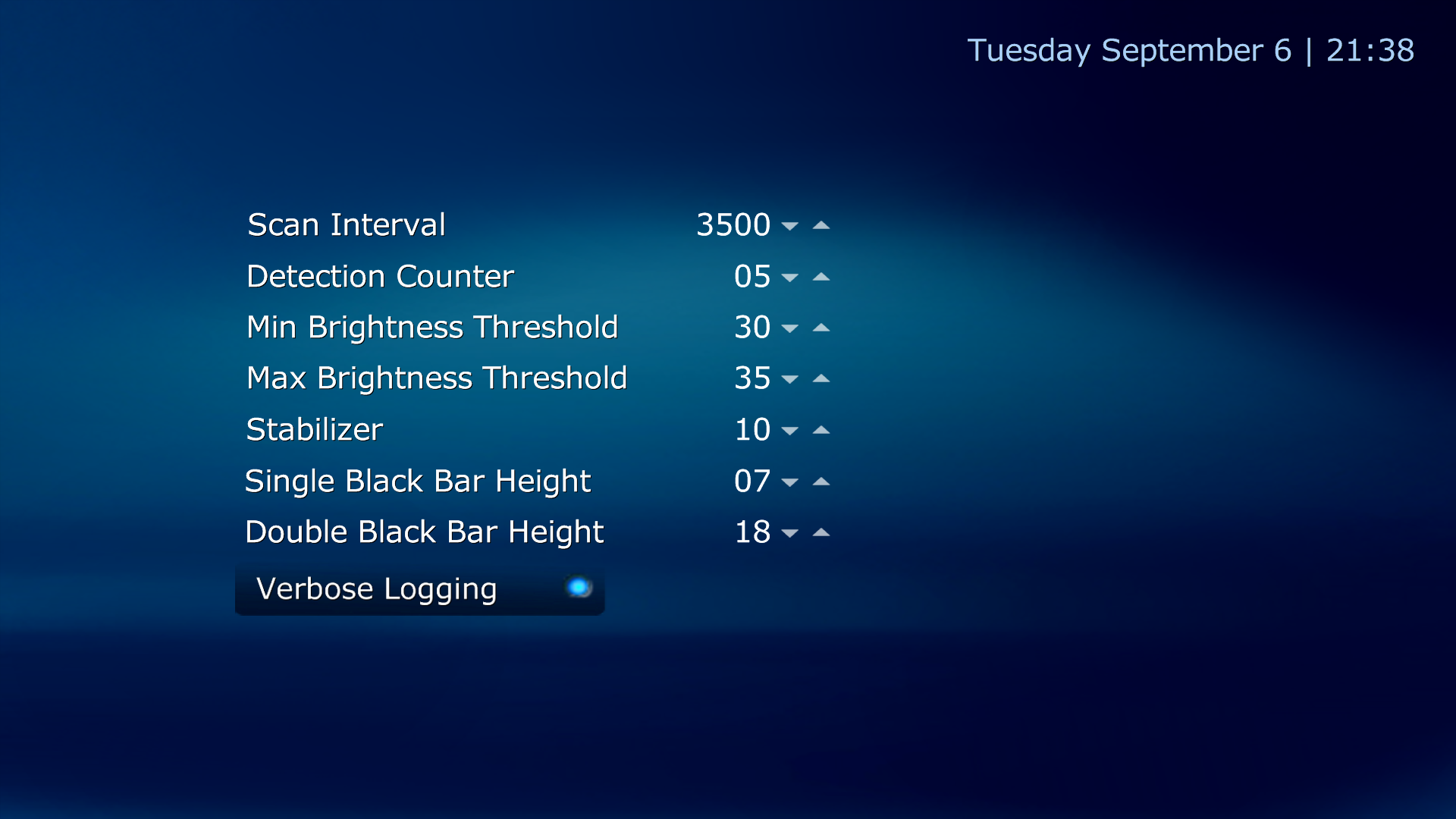
+ automated black bar scanner
+ automated view mode selector
+ one click configuration (for beginner)
+ fully customizable (for advanced user)
The plug-in is optimized for the TV aspect ratio 16:9, but it supports the ratios 4:3 and 21:9 too.
Images (3)
Changelog
2.0.4
- 1.6.0 pre ready
- updated skin files for Default and DefaultWide skin
- added skin files for Titan skin
2.0.3
- fixed auto start behavior
- 1.2.0 Beta ready
- 1.2.0 RC1 ready
- fixed switch from file to file when Moving Pictures is used (workaround)
- added skin files for Default and DefaultWide skin
2.0.2
- fixed HD disabling
- fixed wrong load of default view mode when I.F.C. is disabled (IFC uses the default view mode)
- optimized black bar detection (should be faster now)
- change the interval for the detection interval in I.F.C. GUI (hack)
- fixed cropping issue when 21:9 stuff were played
- fixed crash when I.F.C. were stopped (hopefully, cause I couldn't reproduce it)
+ decoupling the advanced view mode from the accurate pixel cropping, so a fixed cropping value (zoom factor) can be used like in the old version (previous 2.0), but configurable
- fixed fading on channel switch, it will now instantly reseted
- fixed configuration loading, that rarely occurs on some machines
+ added edge tolerance for a faster black bar detection
- fixed some issues with the screen shot tester
2.0.1
- optimized stabilizer
+ added HD switch
+ added video switch
+ added screenshot tester
- fixed some small issues
2.0.0.0 *BEAST UNLEASHED*
- complete rework of the previous versions of I.F.C.
- a way faster black bar scanner
- a way better black bar detection
- an user friendly back-end and front-end configuration interface
- 3 modes (snapshot, reset, auto) to control I.F.C. with one button
- supports all known formats (tested and optimized German/USA/Italy broadcasts)
- pixel accurateness (means: removes small black grubby edges as well)
- stabilizer for a smoother cropping behavior
- advanced view mode (an additional zoom factor can be set)
- independent verbose logging (no more log flooding)
- 1.6.0 pre ready
- updated skin files for Default and DefaultWide skin
- added skin files for Titan skin
2.0.3
- fixed auto start behavior
- 1.2.0 Beta ready
- 1.2.0 RC1 ready
- fixed switch from file to file when Moving Pictures is used (workaround)
- added skin files for Default and DefaultWide skin
2.0.2
- fixed HD disabling
- fixed wrong load of default view mode when I.F.C. is disabled (IFC uses the default view mode)
- optimized black bar detection (should be faster now)
- change the interval for the detection interval in I.F.C. GUI (hack)
- fixed cropping issue when 21:9 stuff were played
- fixed crash when I.F.C. were stopped (hopefully, cause I couldn't reproduce it)
+ decoupling the advanced view mode from the accurate pixel cropping, so a fixed cropping value (zoom factor) can be used like in the old version (previous 2.0), but configurable
- fixed fading on channel switch, it will now instantly reseted
- fixed configuration loading, that rarely occurs on some machines
+ added edge tolerance for a faster black bar detection
- fixed some issues with the screen shot tester
2.0.1
- optimized stabilizer
+ added HD switch
+ added video switch
+ added screenshot tester
- fixed some small issues
2.0.0.0 *BEAST UNLEASHED*
- complete rework of the previous versions of I.F.C.
- a way faster black bar scanner
- a way better black bar detection
- an user friendly back-end and front-end configuration interface
- 3 modes (snapshot, reset, auto) to control I.F.C. with one button
- supports all known formats (tested and optimized German/USA/Italy broadcasts)
- pixel accurateness (means: removes small black grubby edges as well)
- stabilizer for a smoother cropping behavior
- advanced view mode (an additional zoom factor can be set)
- independent verbose logging (no more log flooding)
Reviews (2)

0 of 2 people found this review helpful
1/5

The automatic settings for 4:3 ratio didn’t seemed to do anything. I uninstalled it and I regret about all the time and effort I spent on it.
Owner's reply
Hi doveramon,
did you ask for help, in the forum?
Try to set all view modes to normal, otherwise leave me a message on the forum and tell me what kind of content do you consume and what do you expect from IFC.
Kind regards
Martin
2 of 2 people found this review helpful
5/5
When installed it solved 95% of my screen format issues by simply using the default settings. The other 5% you can try to tweak because I know you like it :-) My experiance is that you can not improve very much because the remaining problems are often caused by the provider of the content.
e.a. A movie with black bars, and an embedded subtitel put in the lower black bar. Or the station logo is positioned above the movie frame.
Install en enjoy, you will like it!
Submit review See all 2 reviews
Download
Download File
Download IntelligentFrameCorrection_2.0.4.MPE1 (4264 views)


