


BackupSettings 



• No more manual typing of user settings after a new reinstall of TV Server, Media Portal1
and MediaPortal2
• Allows to export / import all user settings of the TV server engine and all user setting
folders
• This includes the settings of cards, LNB settings, TV channels, radio channels, tv groups,
radio groups, schedules, recordings, EPG data, general settings, recording settings and
plugin settings.
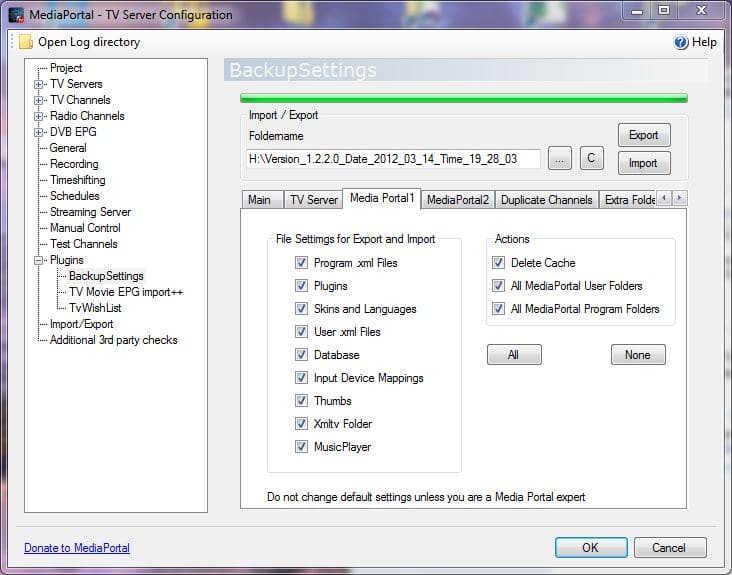
• It creates a backup / restore of the Media Portal configuration and program folders, settings,
plugins, skins, input device mappings, thumbs and the database folders
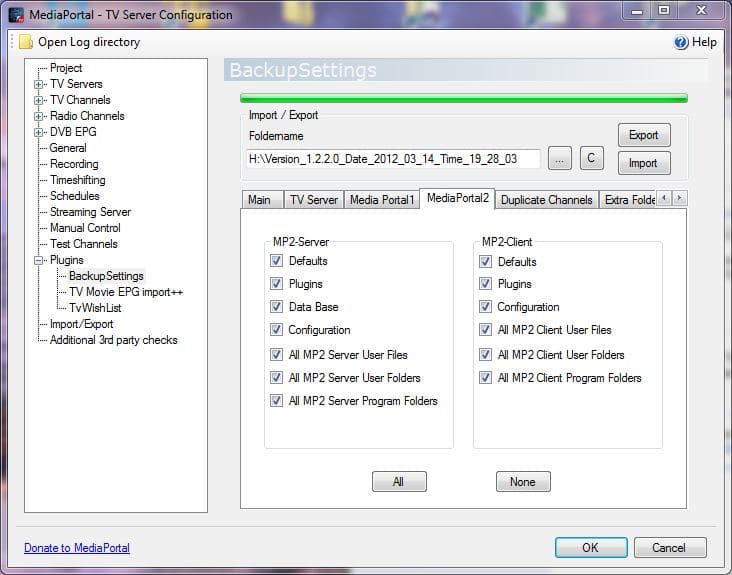
• The Tv server plugin does backup / restore your MediaPortal1 and MediaPortal2 (Client
and Server) Files
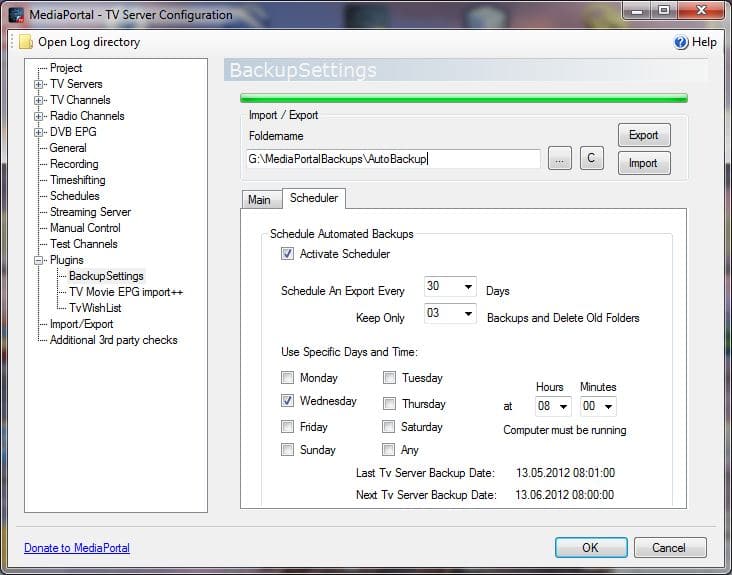
• An automated backup can be scheduled based on a time interval, where only the last exports
will be preserved
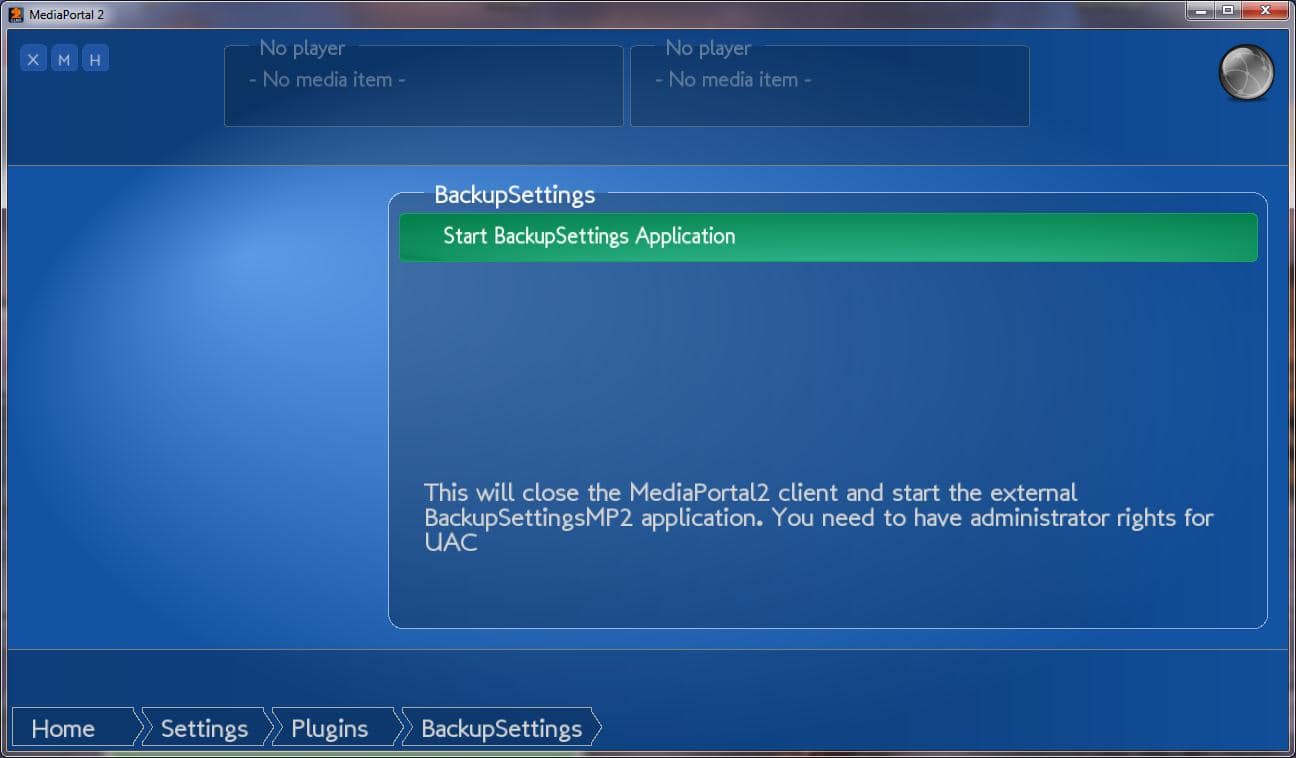
• The plugin can be used as a TV server plugin or a Media Portal client plugin for users
without TV server
Requirements:
MediaPortal/TV Server 1.0.1 -1.9
Windows XP SP3 , Vista SP2, Windows 7 or Windows 8.1 (32bit or 64 bit)
Installation for all users:
- Start the MediaPortal Extension Installer (MPEI) which can be found in your MediaPortal program directory and install BackupSettings
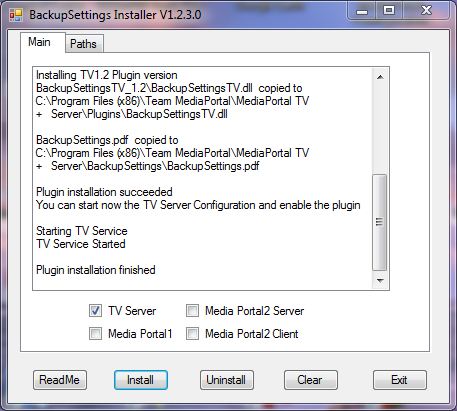
- In the BackupSettings Installer window push "Install" (make sure you read the manual)
- enable the plugin in the TV server configuration if you have TV server installed (default for most users) or in the MediaPortal -> Other Plugins section if you have a Client only installation
- For Users with a TV Server only Installation: The MPEI installer will unzip all files in the
%PROGRAMDATA%\Team MediaPortal\MediaPortal\Installer\BackupSettings folder. If you have a computer with a TV server only installation you can copy this folder to the TV server and install it there.
Quick Usage:
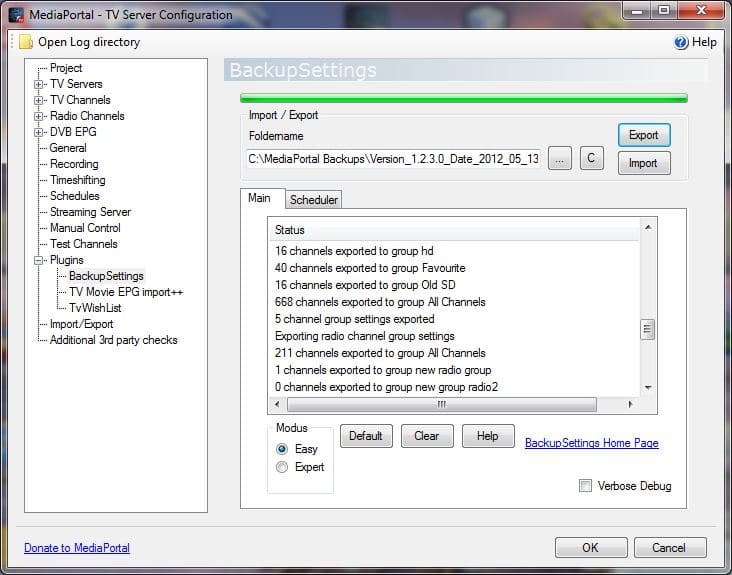
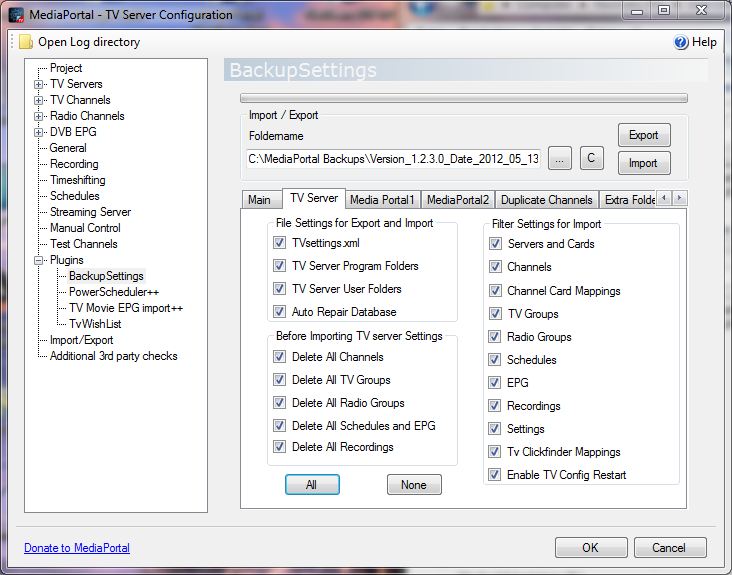
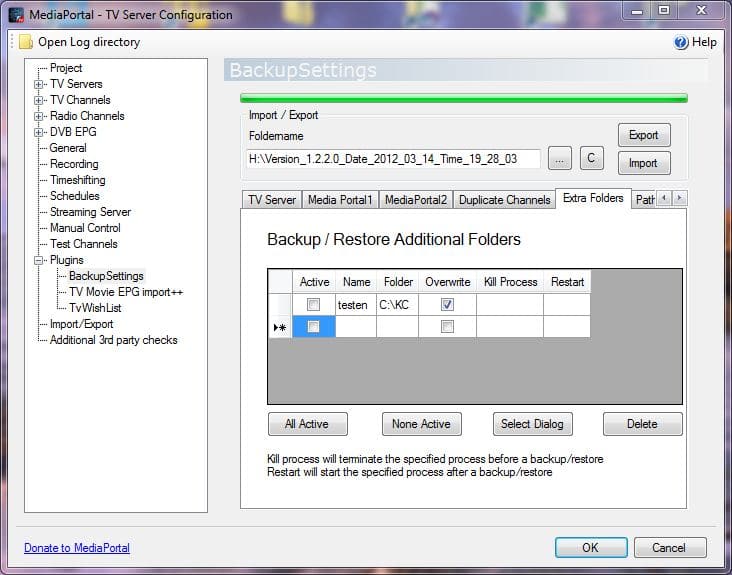
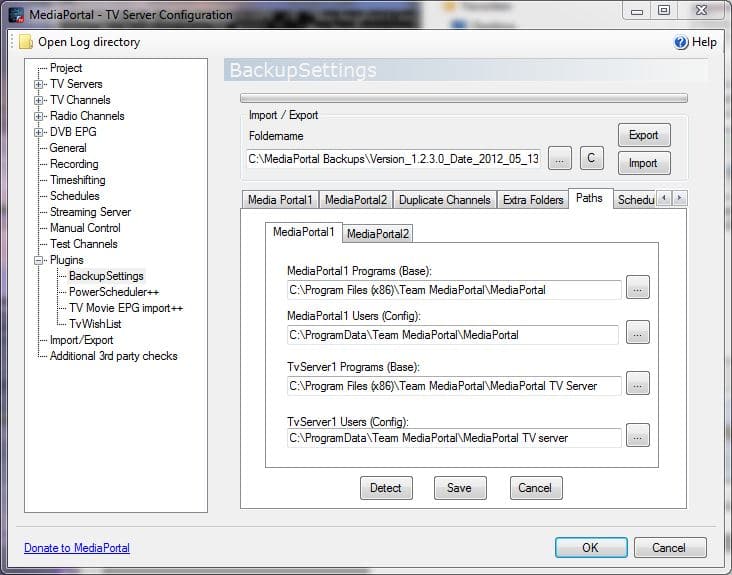
- Select a foldername for the backup directory (must not contain any other user data)
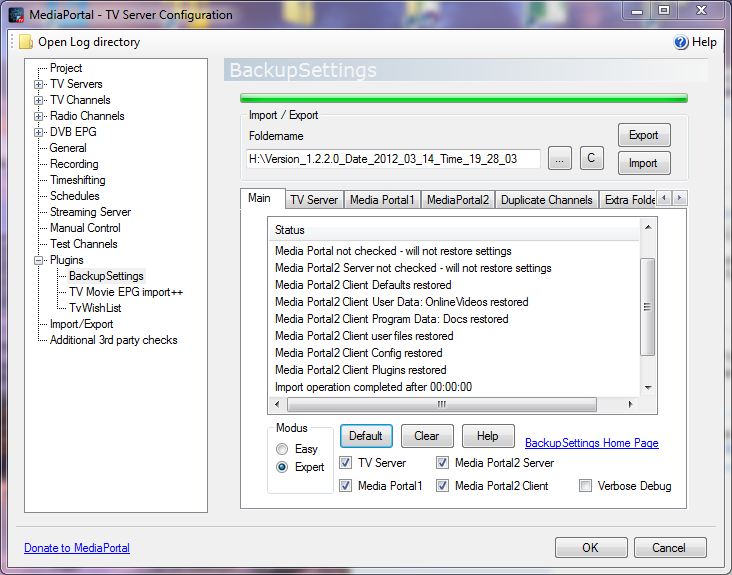
- Check TV Server if you want to backup / restore the TV server user settings
- Check Media Portal if you want to backup / restore Media Portal user settings
- Hit the "Export button" to backup your current settings. The data structure of the backup directory will be explained in the manual
- Hit the "Import" button to restore all your current settings from a previously saved backup folder
- Before you upgrade to a new MediaPortal Version make sure you did an export with the latest BackupSettings plugin version
• installer fix for MP1.9
Version 1.2.2.12 released on 19.Dec.2013
• cleanup of „NOTFOUND“ Settings for any cards (thanks to wjw and mm1352000)
Version 1.2.2.10
- renamed automated backupfolders from \Backup001 to \BackupSettingsBackup001, ... users will have to delete old folders (Backup001, Backup002, ...) manually.
- automatic version/date creation as a default for the foldername (user can disable function) in the Tvserver and client plugins
-minor GUI bug fixes in client
Version 1.2.2.9
-modified folder structure for "Extra" folders, which are now stored in \EXTRA_FOLDERS instead of
-if the user specifies to delete old backup data the following plugin created subfolders/files are now deleted instead of the full backupfolder.
\EXTRA_FOLDERS,
\MP_Program,
\MP_User,
\TV_Program,
\TV_User,
\MP2_PROGRAM,
\MP2_USER,
\SV2_PROGRAM,
\SV2_USER,
\Version.xml
Version 1.2.2.8
• added separate foldername for Automated Export
• bug fix on automated export option after an import
• added channelnumber for MP1.3 (export/import)
• separate version for MP1.3
• updated MP2 language file
Version 1.2.2.6
• updated TVserver version to 1.2.100.0 (MP1.3)
• bug fix with default settings for export/import in TV server plugin
• bug fix with selected path in client
• bug fix if path did not exist
• backup of .dll files in TV server program folder
Version 1.2.2.4
• bug fix when moving from a 32bit system to a 64 bit system or reverse
• bug fix for recording counter for automatic export at specified times
Version 1.2.2.2
• severe bug when moving from a 32bit system to a 64 bit system or reverse
• bug fix for blocking automated export at specific times
• bug fix for not using default settings (wrong warning)
Version 1.2.2.1 released on 3. July 2012
•updated for upcoming 1.3alfa – no code changes
Version 1.2.2.0
•new: standalone client program for MP1, MP2-client and MP2-server
•new: automated scheduling of exports
•new: auto repair script of Lehmden for MySQL users
•installer updated and improved
•bug fix for export
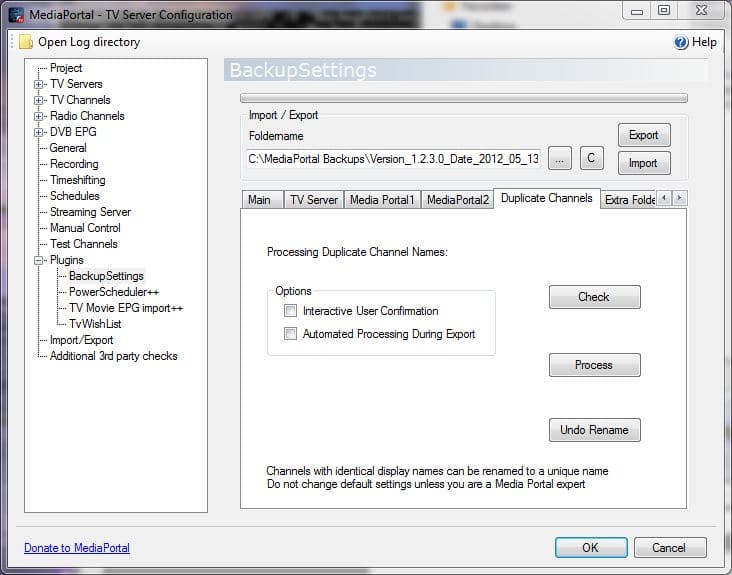
•duplicate channels restructured and bug fixes
Version 1.2.0.11 (Please create a new backup after installation)
• bug fix: did not export episodename before
Version 1.2.0.10 (Please create a new backup after installation)
• bug fix in SQL query of settings during export from 1.2.0.9
• bug fix with verbose debug setting
Version 1.2.0.9
- severe bugfix for importing settings
- added Easy/Expert mode
Version 1.2.0.8
- “C” button will remember last drive letter
- fixes for stretching GUI
- fixed invalid + like “PowerScheduler++”for import/export
Version 1.2.0.7
mpei installer issue fixed in update.xml and in the .xmp2 file
If you could install 1.2.0.5 or 1.2.0.6 there is no reason to upgrade
Version 1.2.0.6
fixed bug in installer. If you could install 1.2.0.5 there is no reason to upgrade
Version 1.2.0.5
data are incompatible to previous versions! So you must do an export with this version first before importing!
• added general database query for all settings. So the plugin will now export/import all settings. By that future setting changes and plugin settings will be automatically covered
• between up/down grading from MediaPortal 1.1 to 1.2 the mpei installation directory will
no more be restored as it can introduce incompatible plugins.
Version 1.2.0.4
• fixed bug in installer to be compatible with 1.2
• fixed bug for verbose debug
• plugins and skins will not be copied over between 1.1 and 1.2
Version 1.2.0.3 released on 25.Jun.2011
• bug fix for importing plugin settings of TV Movie Clickfinder
• bug fix for installer on folder priorities
Version 1.2.0.1
• corrected version number in mpe1 file
• if you have installed 1.2.0.0 no need to upgrade
Version 1.2.0.0 released on 04.Apr.2011
• added plugin compatibility check for TV server and MediaPortal plugin
• updated .dlls and structures for MP1.2 (SVN 1.1.6.27652)
• fixed bug with nondefault installation paths
• I also added some additional settings for the future TvWishList and other plugins.
Version 1.1.0.1 released on 23.Nov.2010
– added support for iPiMP plugin
– removed 4k limitation for added folder import/export
– updated 4k import/export limitation for TvWishlist
– removing old version of online videos (onlinevideo.dll) after restore
This version is not compatible to the backupdata of older versions! Please create a new backup
first!
Version 1.1.0.0 released on 23.Aug.2010
* bug fix in assembly properties
* autocreation of exportfolder if "C" is being clicked
* removed MediaPortal Client mode (use BackupSettingsMP instead)
* added network provider for CAM settings
* added plugin support for For The Record Recorder/Tuner
* the source code is now published for Microsoft Visual C#2010 project file
Version 1.0.6.0 released on 16.Apr.2010
* supporting MP1.1RC2
* supporting new MPEV2 installer
* bug fixes on progress bar
* supporting WebEPG Tvserver plugin
* updated settings (checked with MP 1.1RC1)
* added extra folder for bexport/import
* changed skins and languages to "not overwrite" for MP_USER_FOLDER
* bug fixes on restoring data for downgrading version
* added all changes to media Portal plugin BackupSettingsMP

Submit review See all 2 reviews


