


Videos
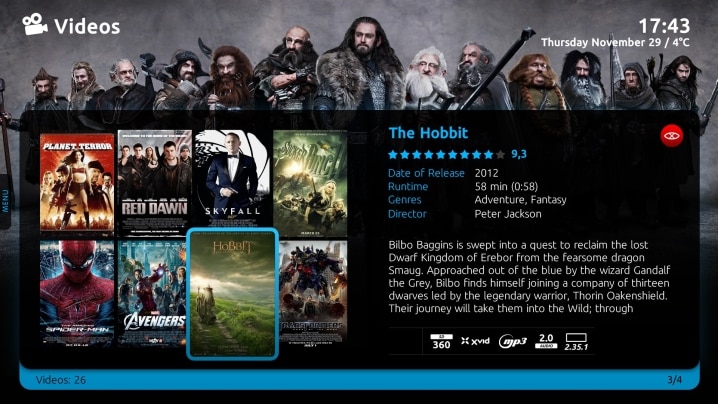
View or sort your movies however you wish: by title, actors, genre, year, or even sort by rating or file size. Choose from several display styles: List, Icons/Big Icons (Cover view), or Filmstrip
Movie Details
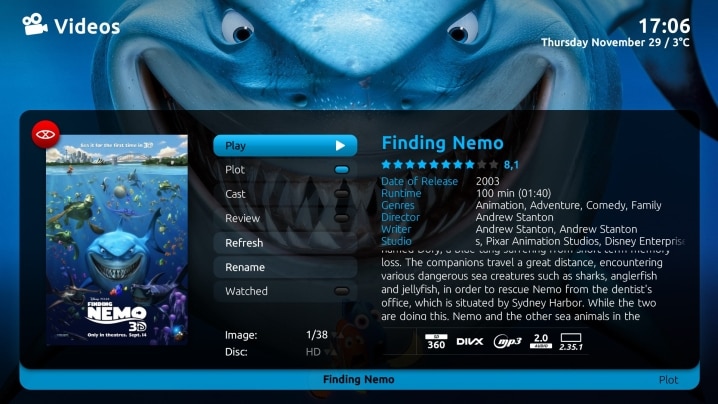
View your movies with DVD Covers, fanart and details such as plot, genre and actors from IMDB (Internet Movie Database)
On Screen Display
While watching a movie, display the DVD cover, and movie details including the playing time, with the click of a button. You can also set bookmarks, subtitle language, audio streams, aspect ratio and more
TV Shows
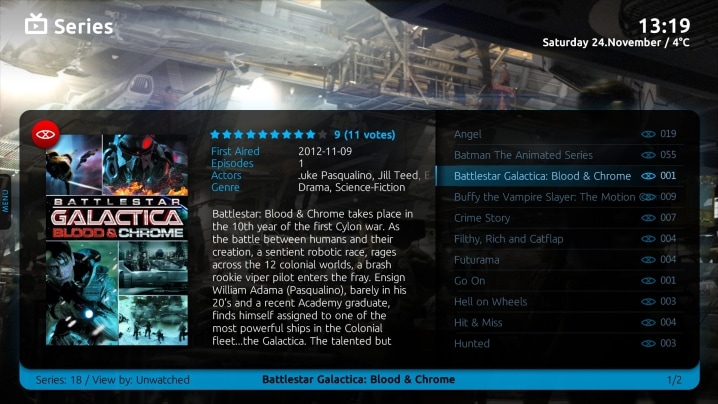
Install the TV Series plugin to display your favorite TV shows with full episode details, posters and fanart backdrops from TVDB.com
Watch Videos: Home Theatre at its best
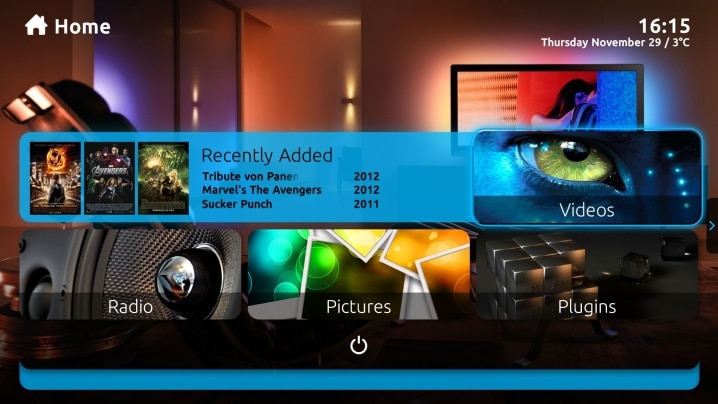
Enjoy all your movies, TV shows, recorded TV, or even personal videos, on your Home Theatre. Just connect your TV and audio system, or speakers, to your Home Theatre PC (HTPC) and play any video stored on your hard drives, network drives or DVDs. Browse your movies with full DVD covers and details automatically downloaded from IMDB (Internet Movie Database). All you have to do is make the popcorn, MediaPortal does the rest.
"What impressed me most about MediaPortal was the picture quality with TV, videos and DVDs. I was not expecting this one bit... Using the same Power DVD 7 .mpg and h.264 decoders, my SageTV picture quality has never looked as good as MP." - Geek Tonic, Ray (GhostLobster), December 29, 2008
Play Videos!
MediaPortal can play any video file you have on your computer or DVD as long as you have the codecs installed (DivX, XVID, MPEG, Matroska, etc.) even videos with multiple files.
You can pause, rewind, fast forward or 'skip' forwards and backwards, and even bookmark your favorite scenes. MediaPortal automatically keeps track of your playback so you can resume viewing where you left off.

Use the Info/More key on your remote for the OSD (On Screen Display) of details of the playing video, such as DVD Covers, playing time, and synopsis. In the OSD you can set bookmarks, subtitle language, audio streams, aspect ratio and more. Or set a button on your remote to change aspect ratio any time.
Whenever a video is playing, a small 'overlay' window displays throughout MediaPortal, showing the DVD cover and details of the video playing.
Play DVDs
Just insert a DVD in your computer DVD drive and presto, MediaPortal will ask you if you wish to play it. The internal DVD player even supports DVD menu's or you can also use an external DVD player.

Daemon Tools controls are built into MP so it automounts the image file as a virtual drive and fires it right up.
Organize Your Videos
Yes, you can simply browse your drives in MediaPortal to find and play your video files. But why do that when you can scan your hard drives, even network drives, for all video files and automatically index them in MediaPortal's database? Then you can display proper titles, full movie details, posters and more.

View or sort your movies however you wish: by title, actors, genre, year, or even sort by rating or file size. Choose from several display styles: List, Icons/Big Icons (Cover view), or Filmstrip Covers.
Video and Actor Details
When videos are indexed in the database, MediaPortal automatically downloads DVD Covers and movie details such as plot, genre and actors from IMDB (Internet Movie Database).

Or you can look up, add or update these details for any file anytime in MediaPortal using the context menu.
Create Your Own Playlists
Create playlists 'on the fly' just by using your remote to choose your favorite videos. Cue up all the videos from your last vacation, and enjoy the show.


